
A lot of home offices in Jupiter start the same way. A laptop lands on the kitchen counter, a dining chair gets pulled over, and cords end up where people walk. That setup can get a family through a few weeks. It usually falls apart once work calls, storage, lighting, and privacy become part of the daily routine.
In real remodels, the problem is rarely the desk by itself. The room has to handle how the workday runs, how the house circulates around it, and how the office will hold up in a South Florida home where humidity, glare, and limited quiet zones affect day-to-day use. In some neighborhoods, HOA expectations also matter if the project involves garage conversions, new windows, or exterior changes that support a dedicated office.
The best home office layout depends on the work. A lawyer on video calls needs something different from a financial planner reviewing paper files, and both need something different from a couple sharing one spare bedroom. Storage, acoustics, cable routing, outlet placement, and background appearance all change the right answer. Custom millwork can solve some of those problems cleanly, but it also raises budget and lead-time considerations.
If you are planning the room from a remodel standpoint, start with the space, not the furniture. This guide to designing a home office covers the early planning decisions that affect layout, built-ins, and electrical work before you start buying pieces that may not fit the room well.
Quick Summary
A workable home office starts to show its strengths on a Tuesday afternoon, when calls overlap, papers spread out, and the rest of the house is still in motion. The right layout keeps that routine under control without forcing a bigger remodel than the house or budget justifies.
- Choose the room first, then size the desk to it. Traffic flow, door swing, outlet locations, and wall space drive the layout more than furniture style.
- Give the office a defined footprint. A spare bedroom, den, or enclosed flex space usually performs better than a borrowed corner once daily work becomes routine.
- Prioritize lighting and acoustics. They affect daily use more than decor, especially for South Florida professionals on frequent calls with glare, echo, and household noise to manage.
- Set up for posture that lasts. Monitor height, chair support, and keyboard position matter more over time than a stylish desk.
- Use built-ins where clutter needs to stay contained. They cost more up front, but they solve storage, cable management, and background appearance in a cleaner way than loose bins and add-on shelves.
- Plan shared offices with clear separation. Two people can use one room well, but only if the layout addresses noise, storage, and personal work zones from the start.
- Account for local constraints before building. In Jupiter, humidity affects materials, glare can be stronger than people expect, and some HOA rules can shape what changes are practical. If you are planning a remodel instead of just moving furniture, this home office design planning guide covers the decisions that should happen before layout gets locked in.
1. The L-Shaped Desk Layout
An L-shaped setup is one of the most reliable layouts for people who do more than one kind of work in a day. One leg can hold the computer and primary monitor setup. The other can stay open for paperwork, sketching, reviewing samples, or staging a second laptop.
That separation sounds small, but it changes how the room functions. A tech founder might keep dual monitors on one side and use the return for note-taking and calls. An accountant might dedicate one side to screen work and the other to active files and calculators. A designer can keep a tablet clear of the main keyboard area.

Where it works best
This layout is especially strong in smaller bedrooms or square rooms where a straight desk leaves awkward dead space in the corners. Instead of fighting the room, it uses the corner.
For a remodel, this is also one of the easier layouts to support with custom electrical planning. You can place floor outlets, wall outlets, data lines, and task lighting where the desk lands instead of relying on extension cords later.
If you’re planning a custom version, this guide on how to design a home office is a good starting point.
Trade-offs to know
The downside is reach and clutter. If both surfaces become storage, the room starts feeling cramped even when the footprint is reasonable.
The layout works best when one side is assigned a clear role. That can be “computer side” and “active work side,” or “main work side” and “meeting side.” Without that discipline, the corner becomes a dumping zone.
A few details matter here:
- Use monitor arms. They free up the inside corner and make screen placement easier.
- Plan cable routes early. Under-desk trays and grommets are much easier to build in before the surfaces are installed.
- Keep the corner usable. Don’t fill it with a giant monitor base, printer, and stack of binders.
Practical rule: An L-shape is best when you need two work zones, not just more surface area.
2. The Window-Facing Desk Layout
Some homeowners know right away they want to work facing a window. Others assume that’s the best setup and later realize glare makes it miserable by noon.
This layout can be excellent in South Florida because natural light helps the room feel less closed in during long workdays. It also makes a smaller office feel larger. In the right room, it’s simple and calm.

Why homeowners like it
A consultant in a Jupiter waterfront property may want the desk oriented toward the view. Someone in West Palm Beach might want daylight instead of staring at a wall all day. For people doing deep computer work, that visual break matters.
It also solves a common emotional problem. A dedicated office can feel cut off from the rest of the house. A window-facing setup makes the room feel less boxed in.
What can go wrong
The problem is glare, heat gain, and camera exposure. In Florida, the sun isn’t a small detail. If the monitor faces the wrong direction, you’ll spend the day adjusting blinds and changing seat position.
What usually works better is placing the monitor at a right angle to the window rather than directly in front of harsh light. Good shades matter. So do surface finishes. A glossy desktop can reflect more than homeowners expect.
This layout also needs more thought if the user takes frequent video calls. Strong backlight from the window can make even a clean office look bad on camera unless the lighting plan is balanced.
A pretty view is useful. A screen you can actually read is more useful.
The best version of this layout usually includes roller shades, layered lighting, and a desk positioned close enough to benefit from daylight without sitting inside the brightest line of sun.
3. The Built-In Desk with Custom Cabinetry
This is the layout people choose when they’re done improvising.
A built-in office creates a permanent workspace that feels like part of the home instead of furniture pushed into a spare room. For attorneys, writers, accountants, and executives who use the room daily, that permanence often makes sense.

Where built-ins earn their value
Storage is the main advantage. Closed cabinetry hides printers, paper, chargers, and the clutter that tends to spread across a room. Shelving creates a place for books, samples, and display pieces without letting every item live on the desktop.
A built-in also gives you control over proportions. The desk can be made deep enough for monitor arms, shallow enough to preserve circulation, and wide enough to handle real work instead of just looking finished in a photo.
For homeowners who care about resale, this layout also lines up with buyer demand for dedicated office space. Among buyers who want a home office, 59% prefer a medium-sized office in the 100 to 150 square foot range, based on buyer preference data summarized by Eye on Housing.
The trade-off
Built-ins have less flexibility after installation. If your work style changes every year, freestanding furniture may be the better choice.
The fix is to design with adaptation in mind. Use adjustable shelving. Leave room for larger monitors. Plan deep drawers where equipment changes are likely. Don’t build the desk around a single device setup that may be outdated soon.
What works especially well:
- Closed lower storage. It hides the things that make a room feel busy.
- Task lighting integrated into cabinetry. It keeps the desktop clearer.
- A disciplined backdrop. Built-ins help if the office is visible from a hallway or used on camera.
In real remodels, this layout succeeds when the cabinetry serves work first and style second. If it’s all display and no function, the homeowner ends up using the dining table again.
4. The Dual-User Home Office Layout
Two people working from home in one room sounds efficient. Sometimes it is. Sometimes it creates a quiet daily fight over calls, noise, and desk sprawl.
That’s why this layout needs more than two desks.
The real issue is conflict, not furniture
Most home office advice is written for one person. Real households aren’t always that simple. Couples may both work remotely. One person may run a business while the other has a corporate role. A parent may need the room while a student uses part of the space later in the day.
The main design job here is conflict reduction. Each user needs visual territory, power access, lighting control, and a way to take calls without constantly interrupting the other.
A side-by-side desk arrangement works if both jobs are quiet and screen-based. If one person is on calls all day, perpendicular desks or separated stations usually work better.
How to make it livable
Low dividers, cabinetry, and wall treatment are helpful. You don’t always need a full partition. Sometimes a shallow bookshelf or a change in desk orientation is enough to reduce distraction.
A few practical moves make a big difference:
- Give each person dedicated storage. Shared drawers become junk drawers fast.
- Separate task lighting. One person may want brighter light than the other.
- Add sound-softening materials. Rugs, panels, and upholstered seating help tame echo.
- Create call zones. Even a small side chair for quick meetings can reduce conflict at the main desk.
The layout is especially valuable because shared use remains underserved in most mainstream office design advice, even though many households need it, as noted in this discussion of whole-family and two-person office concepts.
If two people use one office, the best layout gives each person control over part of the room.
5. The Standing and Sitting Convertible Desk Layout
By 2:00 p.m., a lot of remote professionals in Jupiter are shifting in their chair, stacking books under a monitor, or standing at the kitchen counter for relief. A convertible desk can solve that problem if the room is planned around movement from the start.
This layout fits people who spend long hours at one workstation and want the option to change posture without leaving the task. It works especially well for software developers, executives on back-to-back calls, and homeowners managing hip, back, or shoulder strain. In South Florida homes, it also helps to think about the floor and power conditions early. Tile is common, and standing on it for hours gets old fast. In some HOA-governed condos or townhomes, adding new outlets or hardwired floor power may also require tighter planning than homeowners expect.
Where this layout earns its keep
A height-adjustable desk is most useful when the user has one primary work zone and the discipline to switch positions during the day. It also makes sense in a room that serves different users at different times. Preset heights on the desk base can make a shared office easier to use without constant readjustment.
I also like this layout in remodels where we can build the rest of the room to support it. That might mean adding blocking for monitor arms, placing outlets where cords will not pull tight, or keeping upper shelving outside the desk's travel path.
What homeowners miss during planning
The desk moves. Everything around it has to respect that range.
That includes monitor height, cable slack, task lighting, nearby drawers, wall shelves, and even art placement. A floating cabinet that looks fine over a seated desk can become a head-level obstruction once the worksurface rises. Lighting matters too. Glare shifts when the user changes height, which is why the desk should be planned with home office lighting ideas for task and screen comfort in mind, not added as an afterthought.
The other common mistake is buying the desk first and forcing the room to adapt. Laptop users run into this often. If the screen stays low and the keyboard stays attached, the standing position is still awkward. The desk gave them movement, but not a better working posture.
A well-executed version usually includes:
- A monitor arm or separate display setup. The screen needs to land at the right height in both positions.
- Cable management with extra slack. Power and charging lines should move cleanly through the full range of motion.
- An anti-fatigue mat sized for the desk zone. This matters more on tile or other hard flooring.
- Clearance above and beside the desk. Shelving, window trim, and cabinets should not crowd the lift path.
- Storage that stays usable while standing. Frequently used drawers and paper trays should be reachable at either height.
Done right, this layout adds flexibility without making the room feel mechanical. Done poorly, it turns into an expensive desk fighting a room that was built for sitting only.
6. The Dedicated Reading and Research Corner Layout
The need for this layout usually shows up the same way on real projects. The desktop is buried under binders, marked-up printouts, legal pads, and open books, while the user still needs a clean spot for a laptop and a second monitor.
For attorneys, professors, therapists, analysts, and anyone who does serious reading away from the screen, a separate reading corner makes the office work harder without making it feel bigger than it is.
Why this layout earns its square footage
A good reading corner changes how the room gets used. The desk stays dedicated to computer work, calls, and active admin tasks. The second zone handles review, note-taking, and the kind of thinking that usually gets interrupted when everything happens in one chair.
That split matters in practice. I have seen plenty of Jupiter home offices with enough floor area for a second zone, but the room still feels cramped because the layout forces every task back to the desk. A reading chair, a properly scaled side table, and reachable shelving often solve that better than adding more desktop accessories.
This setup also creates a better home for printed material. Books, case files, catalogs, and reference binders need a place to live while they are in active use. If they keep migrating onto the main worksurface, the office loses its primary function.
Space planning matters more than styling
This layout gets overdesigned all the time. A small accent chair and a floor lamp may look finished in listing photos, but they will not hold up as a practical research zone.
The chair needs to support an adult for real sessions, not a quick ten-minute sit. The lamp needs controlled light aimed at the page, with enough output to reduce eye strain in the evening. The side table needs room for a notebook, a drink, reading glasses, and a stack of materials without turning into a balancing act.
In South Florida, materials matter too. In Jupiter and the rest of Palm Beach County, humidity can be rough on cheap veneered shelving, low-grade fabrics, and paper storage placed against an exterior wall. If this corner includes built-ins or closed storage, I prefer finishes and hardware that hold up better over time, especially in rooms that run warm during part of the day.
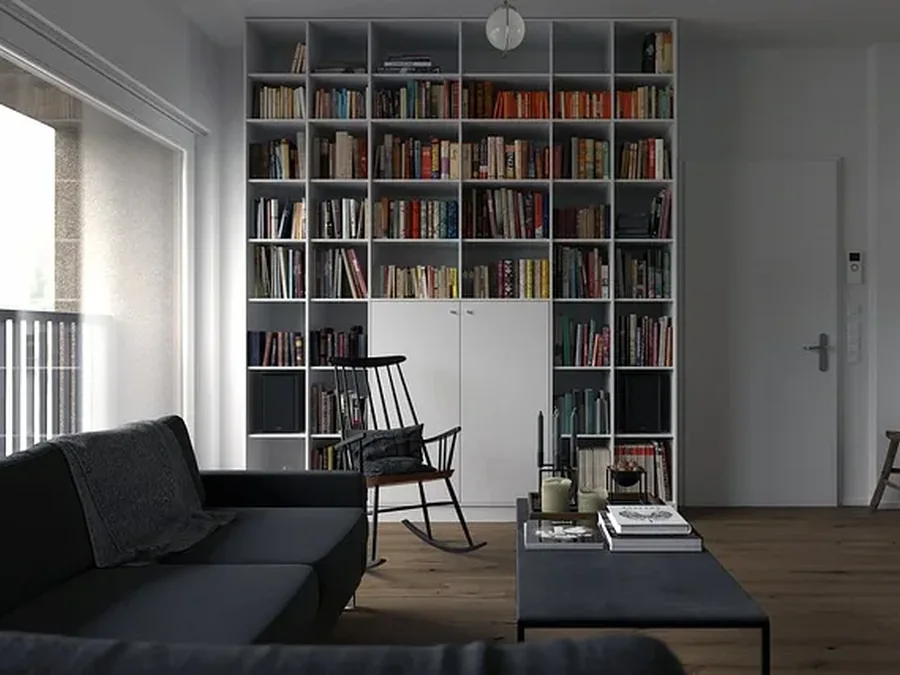
A practical version of this layout usually needs more room than homeowners expect. Around 10 by 10 feet can work if the furniture is scaled carefully. A larger room gives more flexibility for a true two-zone office, especially if you also want shelving, a file cabinet, or a custom millwork surround. If posture support is still a concern, pair the chair and lighting plan with an ergonomic home office setup for long work sessions.
A few finishing touches help, but they should support function first. Plants, for example, can soften the room and improve how the corner feels during long reading sessions. This guide to the best indoor plants for offices is a good starting point for low-maintenance options that suit indoor workspaces.
When this layout is planned well, the office gains a second mode of use instead of a staged corner that never gets touched. This is its true value.
7. The Video Conference Optimized Home Office Layout
Some people need a desk. Others need a camera-ready room.
If your day includes client calls, telehealth sessions, coaching, sales meetings, interviews, or recorded content, the office should be arranged around how it performs on screen. That’s different from a normal desk setup.
A quick lighting refresher helps before getting into the details.
What the camera actually sees
The room behind you matters, but audio and light usually matter more. A beautiful office with echo and bad shadows still reads poorly on calls.
This is why many homeowners benefit from a layout that keeps the desk slightly off the wall, allows room for soft front lighting, and avoids a busy path of movement behind the user. If kids, pets, or household traffic are always crossing the background, the room won’t feel settled no matter how nice the cabinetry is.
For therapists, consultants, educators, and creators, there’s also a growing need for home offices that support non-traditional work styles, not just typing at a desk. That gap shows up in mainstream design content, which often skips acoustic control, on-camera professionalism, and power planning for tech-heavy setups, as discussed in this review of home office layout corrections for newer work patterns.
Details that make the room work
The strongest version of this layout includes a controlled backdrop, clean cable management, layered lighting, and a desk position that doesn’t force the camera to look up at the ceiling fan or straight into a window.
For lighting ideas that translate well in a real remodel, see home office lighting ideas.
A few things help immediately:
- Keep background objects intentional. Shelving works if it’s edited, not crowded.
- Place the camera at eye level. That solves more than most ring lights do.
- Treat echo early. Hard floors and empty walls make calls sound harsh.
- Think about privacy. Some professions need visual calm and acoustic separation, not just style.
This layout is less about showing off the room and more about making communication feel clear and steady.
8. The Ergonomic Wellness Focused Home Office Layout
This is the layout I’d prioritize first if someone uses the office every day and isn’t sure where to start.
A room can look excellent and still wear the user down. That usually happens when the chair doesn’t support real posture, the monitor sits too low, the keyboard placement forces the shoulders up, or the desk depth is wrong for the equipment.
Why this matters in real use
One of the more useful reminders from remote work data is how many people are still working in improvised conditions. In a Nulab survey of 856 respondents summarized in the ergonomics source above, 25% reported difficulty finding adequate workspace, and many were working in places like bedrooms, living rooms, and dining rooms rather than a purpose-built office. That’s exactly why ergonomic planning matters once a homeowner decides to create a permanent space.
A wellness-focused office starts with fit. Chair height, desk height, screen height, and reach all need to work together. If one is off, the body compensates.
For a detailed breakdown, this page on ergonomic home office setup is worth reviewing.
What usually works best
This isn’t always the flashiest layout, but it often holds up the longest. It supports the person using it instead of chasing a trend.
Key pieces often include:
- An adjustable chair. Herman Miller and Steelcase are common examples because they allow real adjustment.
- Monitor arms. They make fine positioning easier without eating the desk.
- Separate keyboard and mouse placement. Especially important for laptop users.
- Room to move. A packed office makes healthy posture harder to maintain.
For homeowners who want to soften the room without crowding it, plants can help if they’re sized appropriately and placed away from equipment. If that’s part of the plan, this roundup of best indoor plants for offices offers a few ideas.
8-Way Home Office Layout Comparison
| Layout | 🔄 Implementation Complexity | 💡 Resource Requirements | 📊 Expected Outcomes | Ideal Use Cases | ⭐ Key Advantages / ⚡ Speed |
|---|---|---|---|---|---|
| The L-Shaped Desk Layout | Moderate, carpentry, corner planning, cable management | Moderate: two desk surfaces, storage, monitor arms, potential cabinetry | High multitasking efficiency and organized zones | Multitasking professionals (remote pros, designers, accountants) in rooms ≥10×12 ft | ⭐ High organization and ergonomics; ⚡ Efficient corner use |
| The Window-Facing Desk Layout | Low–Moderate, placement and glare/heat control | Low: window treatments, UV film, anti-glare filters, shades | Improved mood, circadian support, reduced daytime lighting costs | Health-conscious remote workers and entrepreneurs prioritizing natural light | ⭐ Better well-being and focus; ⚡ Energy savings |
| Built-In Desk with Custom Cabinetry | High, custom design, professional installation, longer timeline | High: custom cabinetry, skilled labor, integrated lighting and outlets | Top-tier storage, cohesive aesthetics, increased home value | High-income professionals, executives, client-facing home offices | ⭐ Maximum storage & finish; ⚡ Space-efficient but permanent |
| Dual-User Home Office Layout | Moderate–High, room planning, acoustics, electrical distribution | Moderate: two workstations, shared storage, dividers, acoustic treatments | Enables collaboration and shared resources; possible distraction trade-offs | Couples, business partners, small teams sharing one office | ⭐ Shared productivity and cost savings; ⚡ Fast collaboration |
| Standing and Sitting Convertible Desk Layout | Moderate, install adjustable frames, possible dedicated circuits | Moderate–High: motorized desk, anti-fatigue mat, monitor arms, electrical work | Health improvements (reduced back pain, better circulation) and increased alertness | Health-conscious remote workers and long-hour professionals | ⭐ Significant health benefits; ⚡ Quick posture transitions |
| Dedicated Reading and Research Corner Layout | Moderate, shelving, lighting, and acoustic treatments | Moderate: floor-to-ceiling shelving, ergonomic reading chair, task lighting | Enhanced deep-focus research, reduced digital distraction | Authors, academics, attorneys, intensive researchers | ⭐ Deep-focus environment and quick access to references; ⚡ Efficient study flow |
| Video Conference-Optimized Home Office Layout | Moderate–High, lighting setup, backdrop design, acoustic treatment | Moderate–High: three-point lighting, quality camera/mic, acoustic panels, backdrop | Professional on-camera presence, clearer communication, improved client perception | Consultants, coaches, real estate agents, client-facing remote workers | ⭐ Enhanced professionalism on video; ⚡ Clearer, faster communication |
| Ergonomic Wellness-Focused Home Office Layout | Moderate, ergonomic assessment and iterative adjustments | High: ergonomic chair, monitor arms, keyboard/mouse, specialist consultation | Reduced RSI, improved posture, long-term comfort and productivity | Long-term remote workers, those with prior injuries or chronic pain | ⭐ Strong long-term health outcomes; ⚡ Sustained productivity gains |
From Layout to Reality Planning Your Project
Choosing a layout is the easy part. Building one that still works a year from now takes more discipline.
The first thing to decide is whether the office is just a furniture placement project or a real remodel. If you need better lighting, more outlets, built-ins, sound control, a closet conversion, or changes to walls and doors, the room should be treated like part of the house, not a temporary setup. That shift affects material choices, electrical planning, paint selection, millwork, and the way the office connects to nearby rooms.
It also helps to be honest about your work style. A lot of homeowners ask for a beautiful office, but what they really need is a video-call room, a two-person workspace, or a hybrid office and library. Those are different projects. The best results come when the room is designed around how it’s used from Monday through Friday.
Local Note Jupiter Palm Beach County
A home office remodel in this area comes with a few local realities.
First, HOA and condo review can affect what you can change, especially if the project involves windows, exterior penetrations, noise-sensitive work, or delivery restrictions. Even when the office itself is inside the home, approvals can influence schedule and installation logistics.
Second, humidity matters. In Jupiter and nearby coastal areas, materials have to hold up well. That affects cabinetry finishes, wood movement, hardware choices, and sometimes even what kind of storage makes sense for paper records and electronics.
Third, many homeowners are living in the house during the work. That changes how dust control and sequencing should be handled. If the office user is still working remotely while the remodel happens, isolating the workspace or phasing the job properly becomes part of the planning.
Fourth, if the scope includes electrical, low-voltage wiring, or structural changes, permit review may come into play. Depending on scope, especially electrical, plumbing, or structural work, this may require a permit. A licensed contractor can confirm requirements and handle permitting.
What We See on Real Projects
A few patterns come up again and again.
Homeowners often overestimate how much open shelving they want. It looks clean at the start, then turns into visible storage for chargers, paper, and random office gear. Closed storage usually ages better.
Desk depth gets missed. A shallow desk may look sleek, but once you add a monitor, keyboard, lamp, notebook, and coffee, it can feel cramped fast.
Outlet placement is another common issue. People think about one laptop and one lamp. Then they add a second monitor, printer, charging dock, task light, and camera gear. Planning enough power from the beginning avoids exposed cords later.
We also see rooms that are technically offices but located in the noisiest part of the house. A nice desk near the kitchen still feels like a desk near the kitchen. Sound and household traffic matter more than expected.
And finally, many people spend too much on décor and too little on the chair, lighting, and daily-use storage. The room looks finished but doesn’t feel good to work in.
Good office remodels usually look simpler than expected. That’s because the hard work is hidden in the layout, wiring, storage, and proportions.
Mistakes to Avoid
The biggest mistake is choosing the room based only on what’s empty.
An unused guest room can make sense. So can a den, loft, or converted flex space. But if the room is next to the loudest part of the house, gets harsh afternoon sun, or has no wall space for storage, it may not be the right office without more work than expected.
Another mistake is designing around a single moment in time. Today you may need one laptop and a notepad. Next year you may need dual monitors, a document camera, client-facing shelving, or a second user in the room. It helps to leave room for that.
Avoid these common problems:
- Choosing style before function. A pretty desk won’t fix poor circulation or glare.
- Ignoring acoustics. Hard surfaces everywhere can make calls tiring.
- Underbuilding storage. Office clutter expands to fill whatever space is available.
- Forgetting the backdrop. If you’re on camera often, what’s behind you is part of the design.
- Skipping ergonomic fit. Chair, desk, and monitor height need to work together.
A quieter mistake is trying to force work into a bedroom long-term if another option exists. Bedrooms can function as offices when space is tight, but the room usually performs better when work has its own zone.
When to Call a Pro
Some office projects are straightforward furniture upgrades. Others benefit from design-build help.
It’s time to involve a contractor when the room needs custom built-ins, added outlets, better lighting, door or wall changes, closet conversion, soundproofing, or a more permanent layout that has to feel integrated with the rest of the house.
It also makes sense to get help when the office serves more than one purpose. Dual-user rooms, call-heavy spaces, and offices that need to look polished on camera usually involve enough trade-offs that planning pays off.
MELTINI Remodeling is one local option for homeowners in Jupiter and nearby Palm Beach County communities who want a home office that’s built as part of a larger remodeling plan, not treated like an afterthought.
If you’re planning a home office remodel in Jupiter, Palm Beach County, or West Palm Beach, MELTINI Remodeling can help you sort through layout options, storage needs, lighting, and the practical details that make the room work day to day. Schedule a consultation.